Built for Windows & your workshop

Your 3D files,
finally organized.

No-hassle software that keeps your STL and 3MF files easy to find, easy to understand, and ready for the next print—without a complicated setup.

Quick setup Easy to use No cloud required
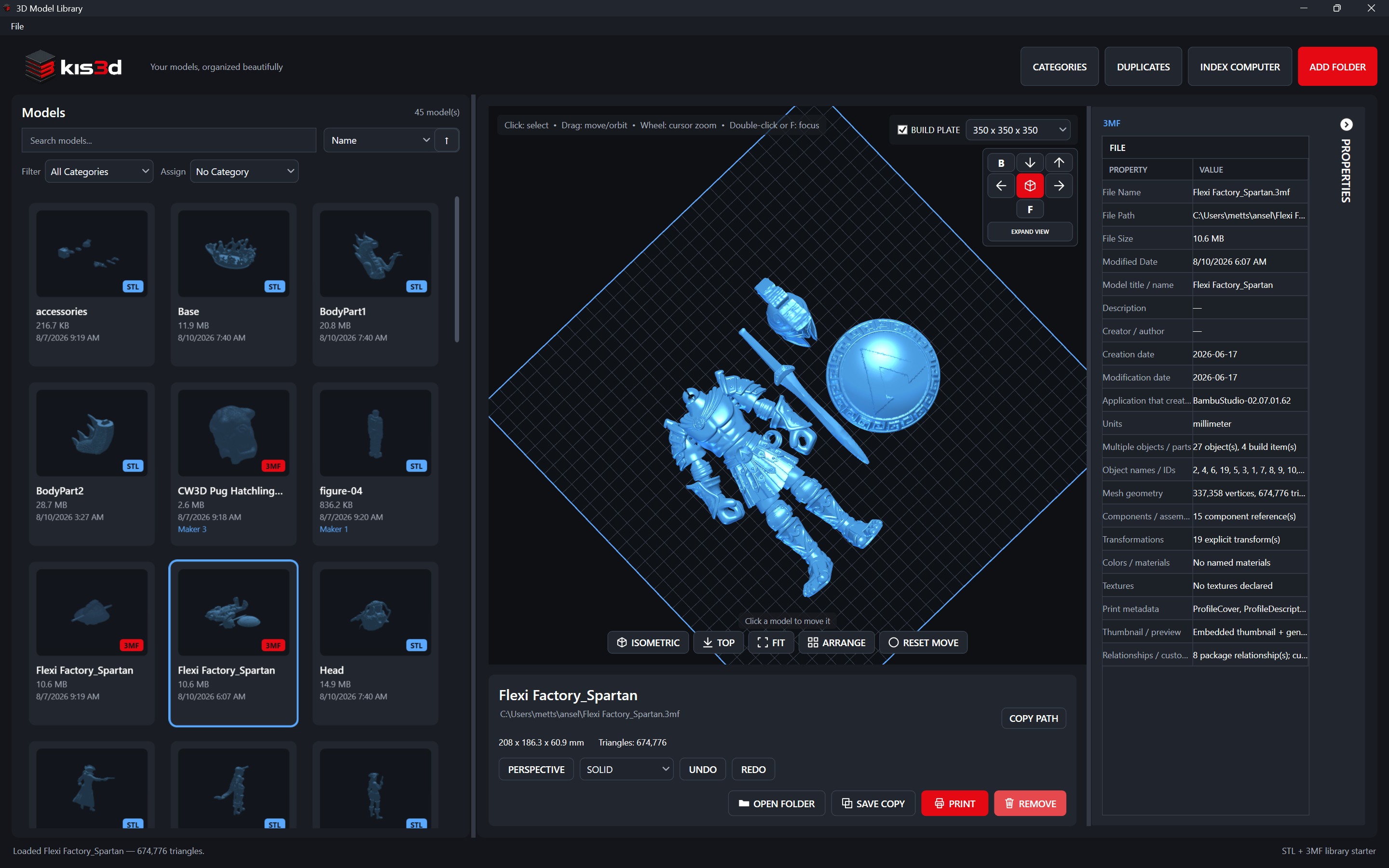
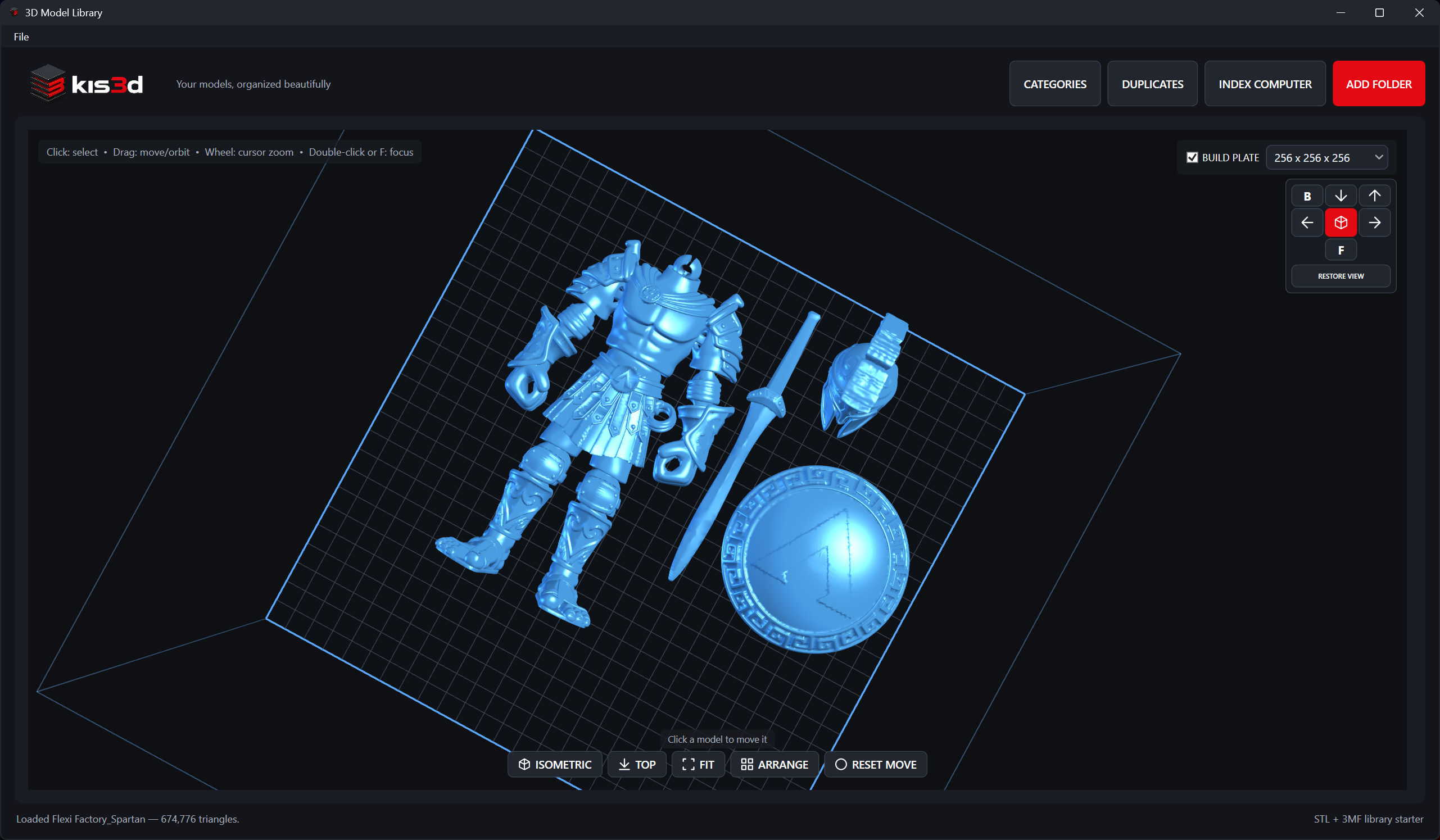
Kis3d desktop application showing a model gallery, a multi-part Spartan model on the 3D build plate, and detailed 3MF propertiesExpanded Kis3d application preview showing the separate parts of a Spartan model arranged on a 3D build plate

Simple from the first folder to the finished print.

01 / INDEX02 / ORGANIZE03 / INSPECT04 / PRINT

A calmer way to manage model files

Spend less time looking.
Make more things.

Your models stay on your computer, but they stop feeling scattered across a dozen folders and drives.

01

Bring it all together

Every model, finally in one place.

Drop in a file, scan a project folder, or let the app look across your drives. It checks each STL and 3MF as it goes, skips folders Windows won’t let it read, and remembers what you’ve already removed.
STL + 3MFRecursive scanSQLite index
02

Find the right file

See your collection instead of guessing.

Automatic thumbnails turn a messy folder structure into a visual catalog. Search by name or path, add your own categories, and sort the library however you like.

Local thumbnailsCategoriesFast search
03

Take a closer look

Know what you’re printing before you slice.

Spin the model around, zoom in, and check the important details before opening a slicer. You can see dimensions, triangle counts, vertices, file size, and more without leaving the library.

GPU previewDimensionsGeometry stats

A proper 3D preview

Take a look before
you hit slice.

Open an STL or 3MF and get a responsive preview right away. Rotate it, pan around, fit it to the screen, and check the mesh before you commit to a print.

360°Interactive view
GPUAccelerated
PNGCached previews

New in version 1.1.6

More than one model?
Bring them together.

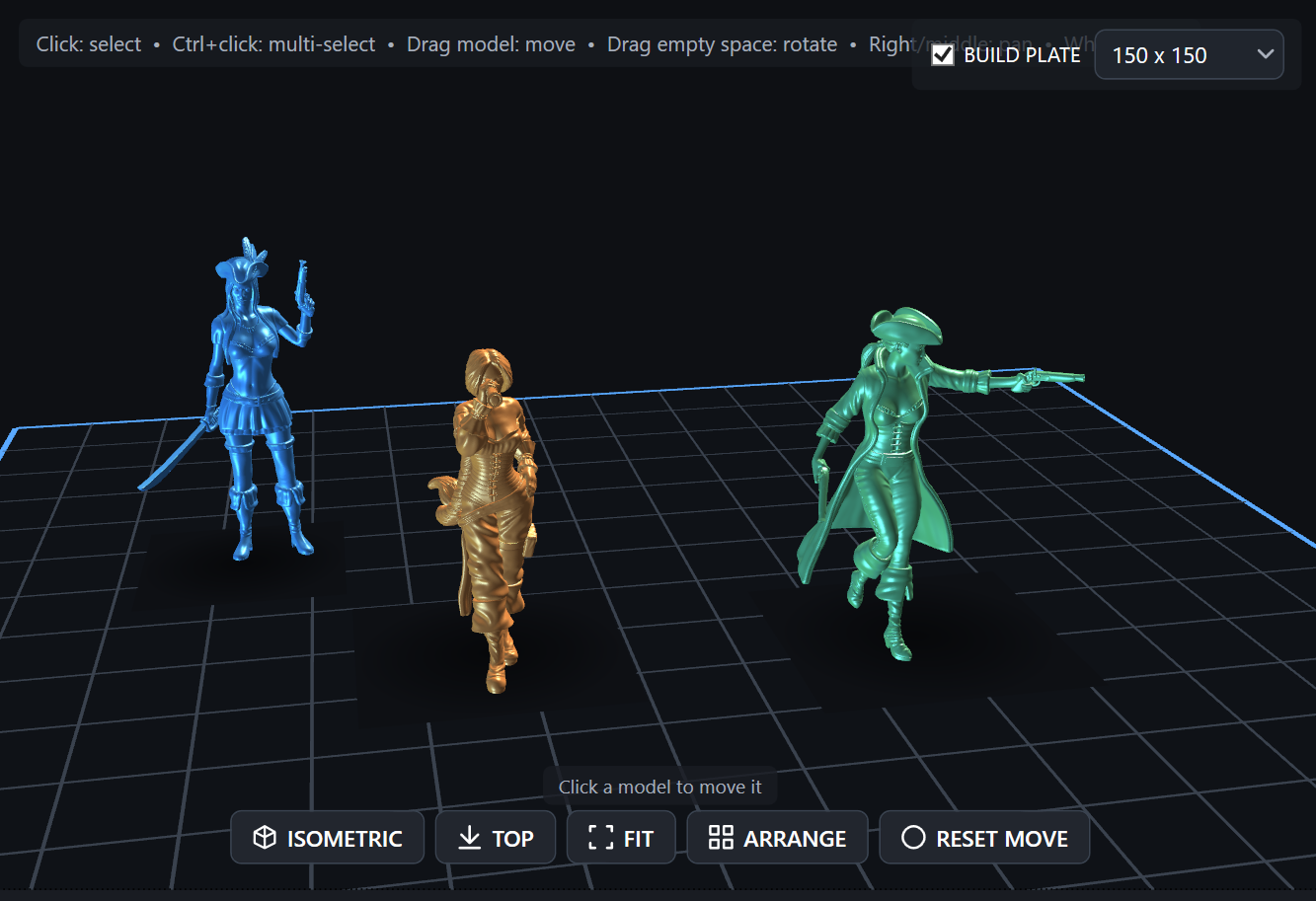
Select several models, preview and arrange them together, then send each model to your slicer separately so every print job stays under your control.

01Every selected model opens as a separate slicer handoff
02Distinct colors for models without embedded color
03Standard colors, textures, UVs, and mappings preserved

Original files are never modified. Safe temporary import copies are created only when the selected slicer needs them.

Grouped model previewThree models arranged side by side on a build plate in the Kis3d preview

When a model is ready

Use the slicer you already like.
Print the way you work.

SLICE WITH

PrusaSlicerOrcaSlicerBambu StudioCuraEngineCustom CLI

It finds the tools you already use, and you can add a custom command when you need one.

SEND TO

OctoPrintMoonrakerPrusaLinkPrusa ConnectBambu LANSnapmaker / LubanNetwork foldersUSB drives

YOUR MODEL'S PATH

  1. 01Find the modelInstant visual search
  2. 02Inspect geometryDimensions & mesh stats
  3. 03Slice & deliverOne connected action

Print setup, without the headache

Configure once.
Print anywhere.

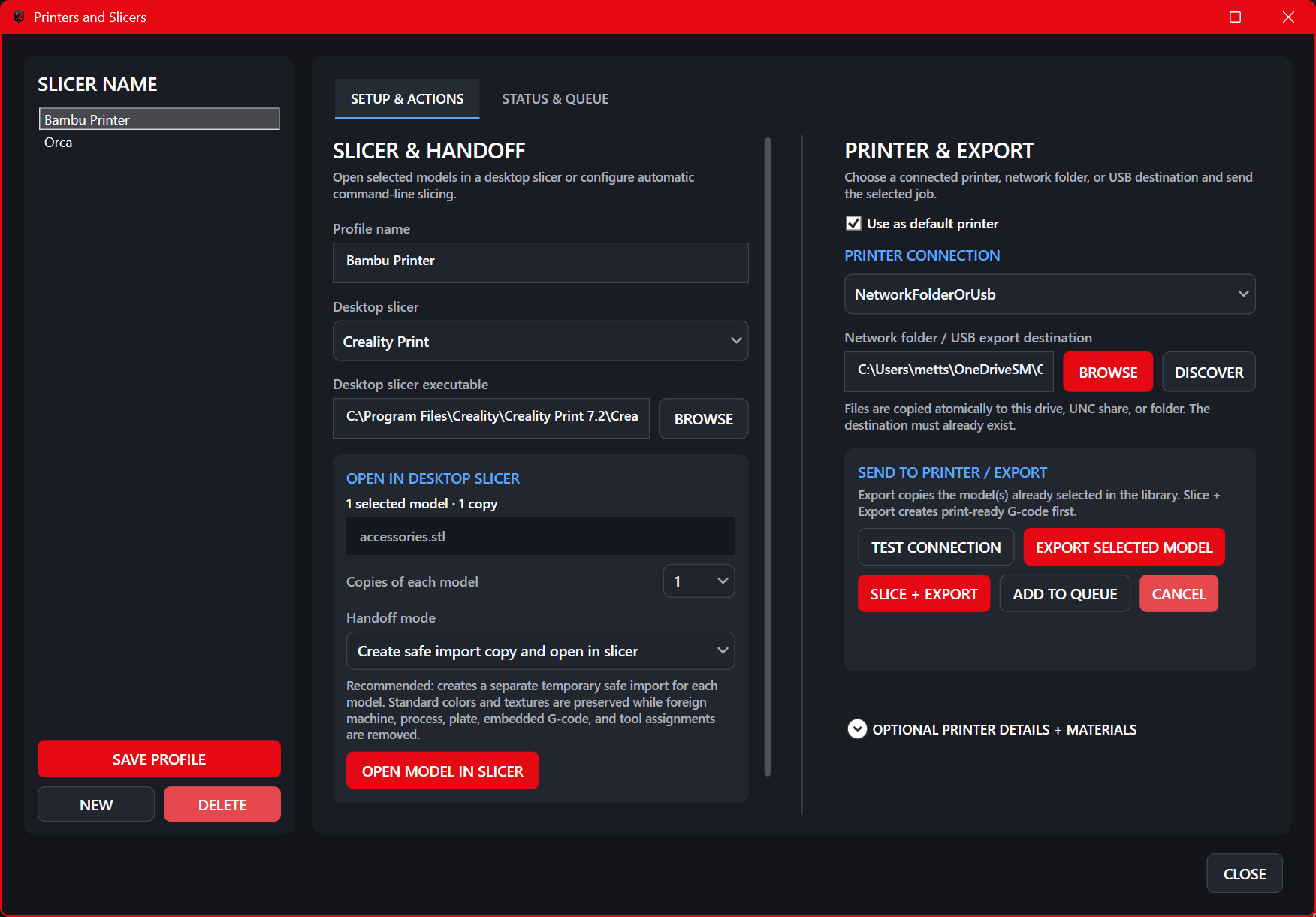
Save your slicer, machine, filament, and printer settings once. When a model is ready, open it in your favorite slicer or send it straight to the machine.

01Persistent printer profiles
02Automatic slicer detection
03Slice, upload, and test connection
Printers and SlicersPrinters and Slicers dialog showing slicer profiles, printer connections, and slicing actions

Your files stay yours

Your models stay
on your computer.

The library, thumbnails, categories, and printer profiles live on your computer. When you connect a slicer or printer, only the files and actions you explicitly send leave the machine.

  • Persistent local SQLite database
  • Local username and recovery-code access
  • Original model files remain untouched

Made for the next project

Make room for
more good ideas.

A simple Windows install. No separate runtime. No subscription. No hassle.

$39$59 regular price
One-time purchase · 2 computers
Coming Soon

Purchasing will open when the first public release is ready.

Windows 10 / 11x64Self-contained MSI